Help Center › Send, receive and swap
How to receive crypto in Scrypt Wallet: find your address and avoid wrong-network mistakes
Short answer: Open Receive, choose the coin, then copy the address or show the QR code and send to it from your other wallet or exchange. Send only that coin on its own network, and try a small amount first.
Questions this guide answers
- Where is my Bitcoin address in Scrypt Wallet
- How do I deposit to Scrypt Wallet
- How do I move crypto from an exchange to Scrypt Wallet
- Can I send Dogecoin to a Litecoin address
Find your address
- On the home screen press Receive, or open /receive in the wallet.
- Choose the coin at the top ①: for example BTC, LTC, SOL or ETH.
- Your address for that coin appears with a QR code ②. Press the copy button, or let the sender scan the QR code.
- Read the box under the address ③. For Bitcoin it says to send Bitcoin to this address from any compatible wallet or exchange, and only Bitcoin.
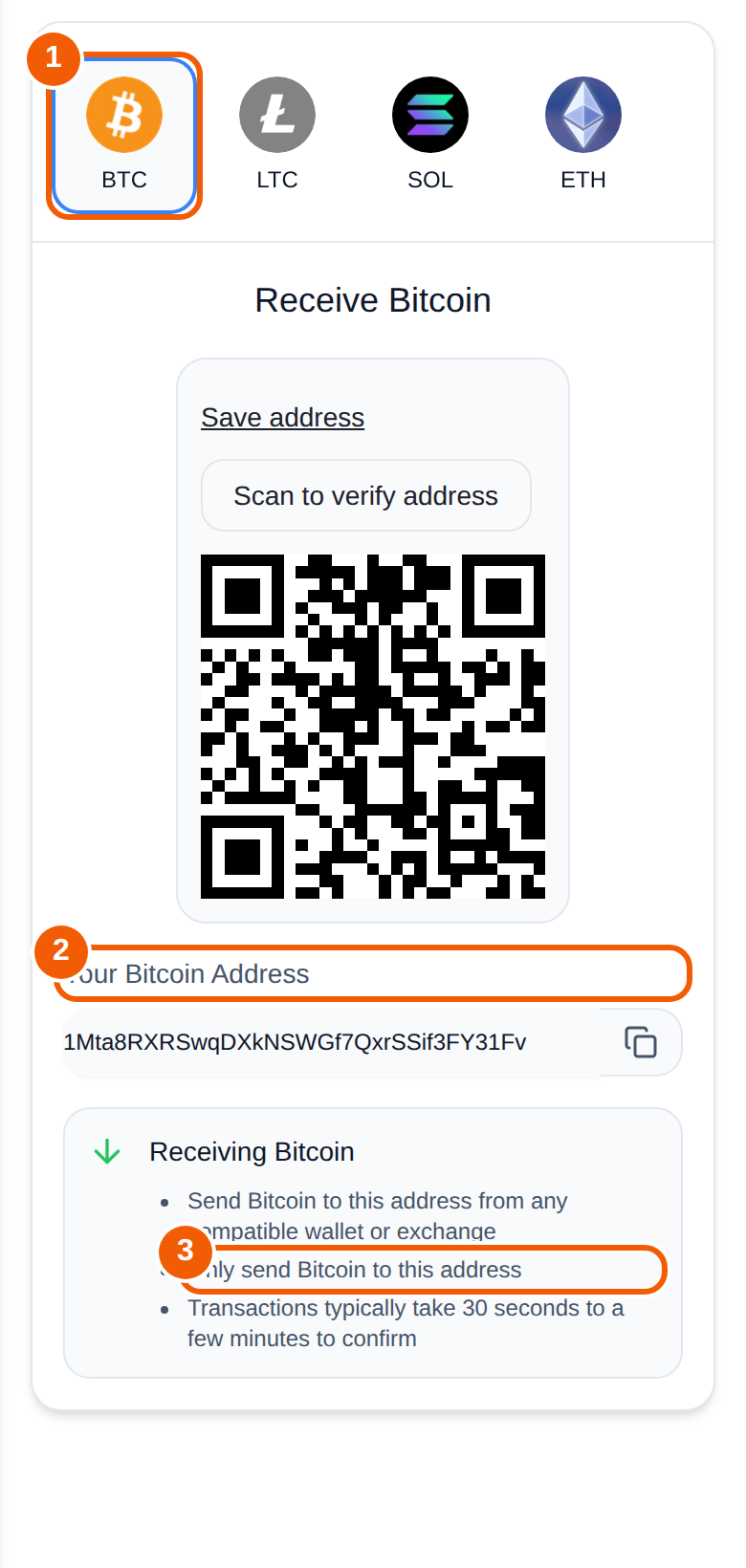
Save address keeps it for later, and Scan to verify address lets you check the address you copied against the QR code.
The one rule: match the network
An address only works for the coin and network it belongs to. Several Scrypt-family coins share an address format with Dogecoin, so one address can look valid on more than one network. A coin sent on the wrong network usually cannot be recovered. Before you send:
- Confirm the coin and the network at the sending wallet or exchange.
- Send a small test amount first.
- Wait for the test to arrive before sending the rest.
Moving crypto from another wallet or an exchange
If you are moving funds from an exchange or from another wallet app, paste your Scrypt Wallet address as the withdrawal address, choose the same network as the coin, and start with a small transfer. If your old wallet app has stopped working or changed, read the migration guide before you do anything with old phrases.
How long does it take?
Deposits need confirmations from the network, so time depends on the coin and how busy the network is. Follow the transaction by pasting its id into the coin's block explorer, or check Transactions in the wallet. See My deposit has not arrived.
Frequently asked questions
Where do I find my Bitcoin address?
Receive, then the BTC tab. Copy the address or show the QR code.
Can I use the same address for different coins?
No. Each coin has its own address in Receive. Some coins share a format, but you should still use the address shown for the coin you are receiving.
I sent to the wrong network. Can I get it back?
Usually not. Transactions cannot be reversed and Scrypt Wallet cannot recover coins sent to the wrong address or network.
Is my address private?
An address is public by design. Anyone who has it can send to it and can look up its activity on a block explorer.