Help Center › Features
How to receive mining payouts in Scrypt Wallet: set your pool payout address
Short answer: Choose Miner (or open Mining), press Set up pool payouts, pick the coin your pool pays and the network it pays on, then copy the wallet's address into your pool's payout address field. Mark the incoming transfers as mining payouts to track them. Estimates are not promises.
Questions this guide answers
- What address do I give my mining pool
- How do I receive Litecoin mining payouts in Scrypt Wallet
- How do I track mining payouts
- What is the Miner mode in Scrypt Wallet
Get to the Mining page
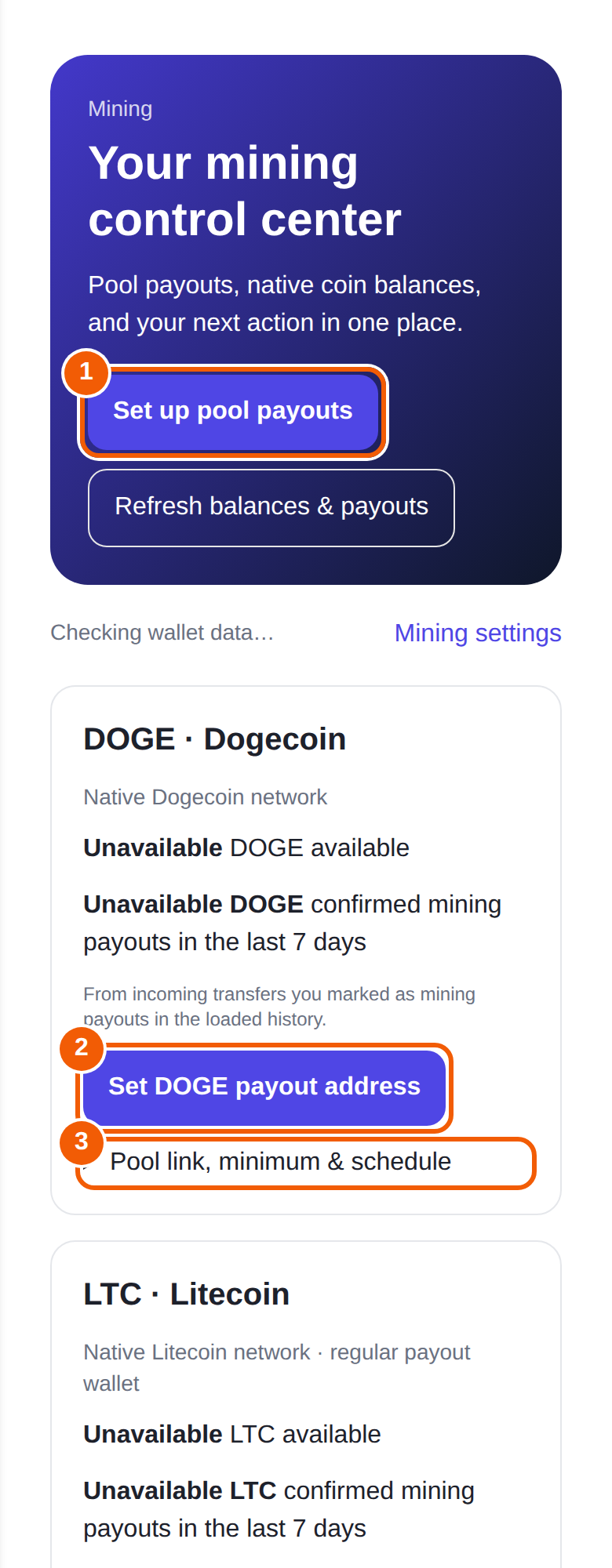
If you chose Miner when you created the wallet, your home screen opens on the Mining coins list. You can switch any time in Profile, then Preferences. Open Mining to see your mining control center.
Set the payout address
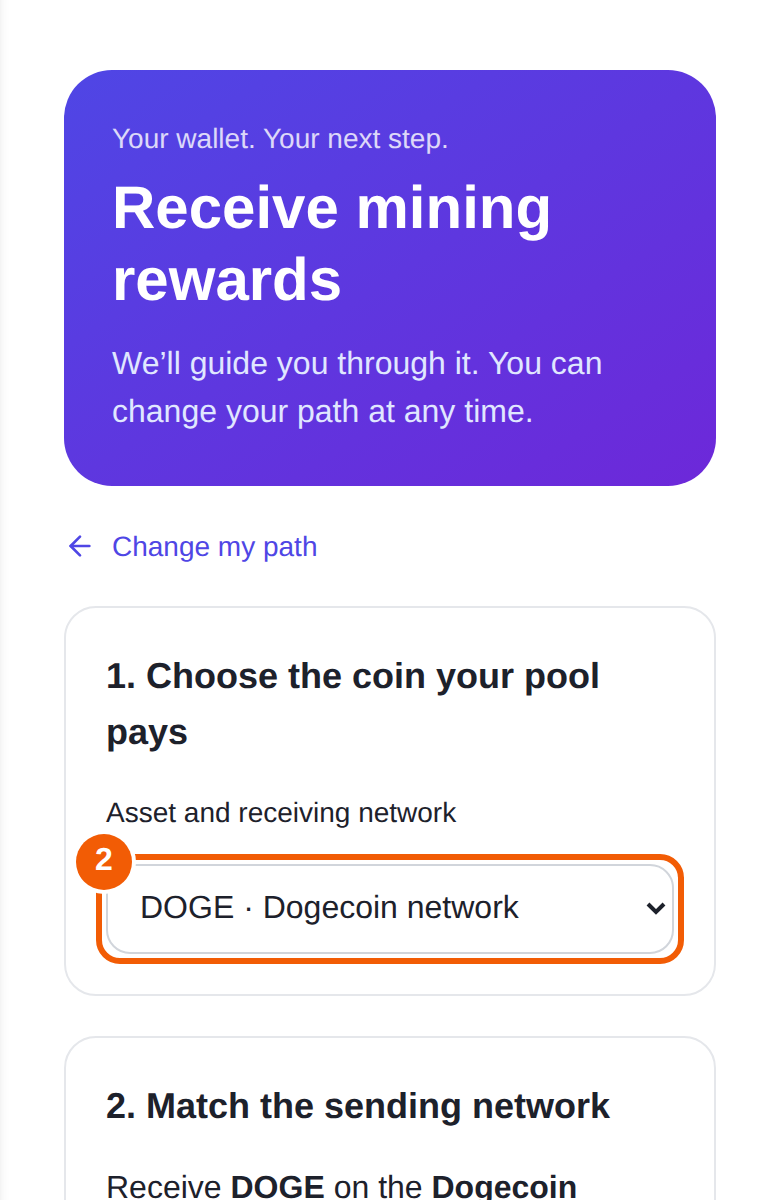
- Press Set up pool payouts ① at the top, or Set DOGE payout address ② (or the matching button for another coin).
- Choose the coin your pool pays. Pick the asset and receiving network, for example DOGE on the Dogecoin network.
- Match the sending network. The wallet asks which network your pool pays on, so the address you copy fits it.
- Copy the address shown for that coin.
- In your mining pool's account settings, paste it as the payout address for that coin, and save.
Use a separate address for each coin. Never paste a Litecoin address where a pool asks for a Dogecoin address.
Track what arrives
- Each coin card shows its available balance and confirmed mining payouts in the last 7 days.
- Under Incoming transfers, mark the transfers that came from your pool as mining payouts. Pending transfers do not count in confirmed totals, and the totals come from the transfers you marked.
- Open Pool link, minimum & schedule ③ to save notes such as your pool dashboard link, its minimum payout and its schedule. These notes are saved on this device. Check your pool for its current minimum, schedule, hashrate and worker status.
Moving or swapping payouts
The Manage payout proceeds section opens your wallet so you can send or swap a coin's balance. Review the fees before you confirm.
Estimates, not promises
The Scrypt Mining Calculator at scryptwallet.io/calculator estimates income from live network data. Those are estimates, not payouts.
Frequently asked questions
Which coins can I receive as mining payouts?
Litecoin, Dogecoin and merge-mined Scrypt coins that the wallet supports. Choose the coin in the payout setup.
Why does my balance say Unavailable?
The wallet has not read that balance yet. Wait for "Checking wallet data" to finish and refresh. Totals only include transfers you marked as mining payouts.
Do I need Miner mode?
No. It only changes which list the home screen opens on. You can use the Mining page either way.
My pool says the address is invalid.
Check you copied the address for the same coin and network your pool pays. Several Scrypt-family coins share an address format, so confirm the network.