Help Center › Send, receive and swap
My crypto deposit has not arrived or my balance shows zero: a checklist
Short answer: Check the transaction id on the coin's block explorer, wait for confirmations, make sure you sent on the same network the wallet shows, then refresh. A transfer sent on the wrong network usually cannot be recovered. If you moved from another wallet app, your old addresses may need the recovery tool.
Questions this guide answers
- My deposit has not arrived in Scrypt Wallet
- Why does my balance say unavailable
- Why is my wallet balance zero
- I sent to the wrong network
Work through these in order
- Find the transaction id at the sending wallet or exchange. It is the long code for the transfer.
- Paste it into the coin's block explorer. Deposits need a few confirmations, so an unconfirmed transfer is still pending. Wait for confirmations before worrying.
- Check the network. Make sure you sent on the same network the wallet shows for that coin. A coin sent on the wrong network usually cannot be recovered.
- Check the address. Compare the address you sent to with the one under Receive for that coin, character by character.
- Refresh. Open the coin page and wait a moment, because balances load as the wallet checks each network. On the Mining page, "Checking wallet data" and "Unavailable" mean the balance has not loaded yet or could not be read.
- Look in Transactions. Open the menu, then Transactions, and search or filter by asset.
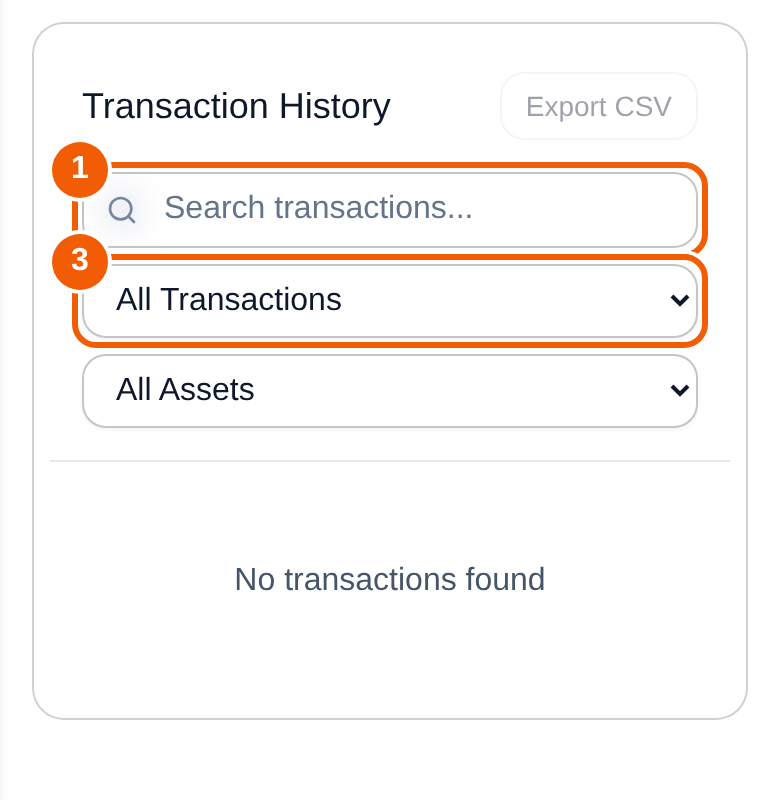
If you came from an old wallet app
If your coins were in a wallet app that changed names or closed, such as BRD, Base Wallet or Coinbase Wallet, the missing balance may be an address-format issue rather than a deposit issue. See Lost your Bitcoin after the BRD, Base Wallet or Coinbase Wallet change?.
If a bridge or swap failed
Swaps, bridges and purchases are completed by third-party services with their own availability and fees. Check the status in that service's flow, and keep the order or transaction id. Bridge withdrawals depend on the available reserve for that coin.
Send a useful issue report
Open Profile, then Report an issue. Include:
- The coin, the network and the public transaction id.
- Your device and browser or app version.
- What you expected, what appeared and any error message.
Never include recovery phrases, private keys or passwords. Nobody from Scrypt Wallet will ask for them.
Frequently asked questions
How many confirmations do I need?
It depends on the coin and the sender. Follow the transaction on the block explorer: when it shows as confirmed, the wallet should show it after it refreshes.
The explorer says confirmed but my wallet shows nothing.
Make sure the destination address is exactly the one under Receive for that coin, then refresh. If it still does not match, send an issue report with the transaction id.
I sent the wrong coin or used the wrong network.
This usually cannot be recovered. Scrypt Wallet cannot reverse transactions or recover coins sent to the wrong address or network.
Why does my balance say Unavailable?
The wallet could not read that balance yet. Wait and refresh. If it persists, report it with the coin name.