Help Center › Send, receive and swap
How to bridge Luckycoin (LKY) to Solana as wLKY with Scrypt Bridge, and back
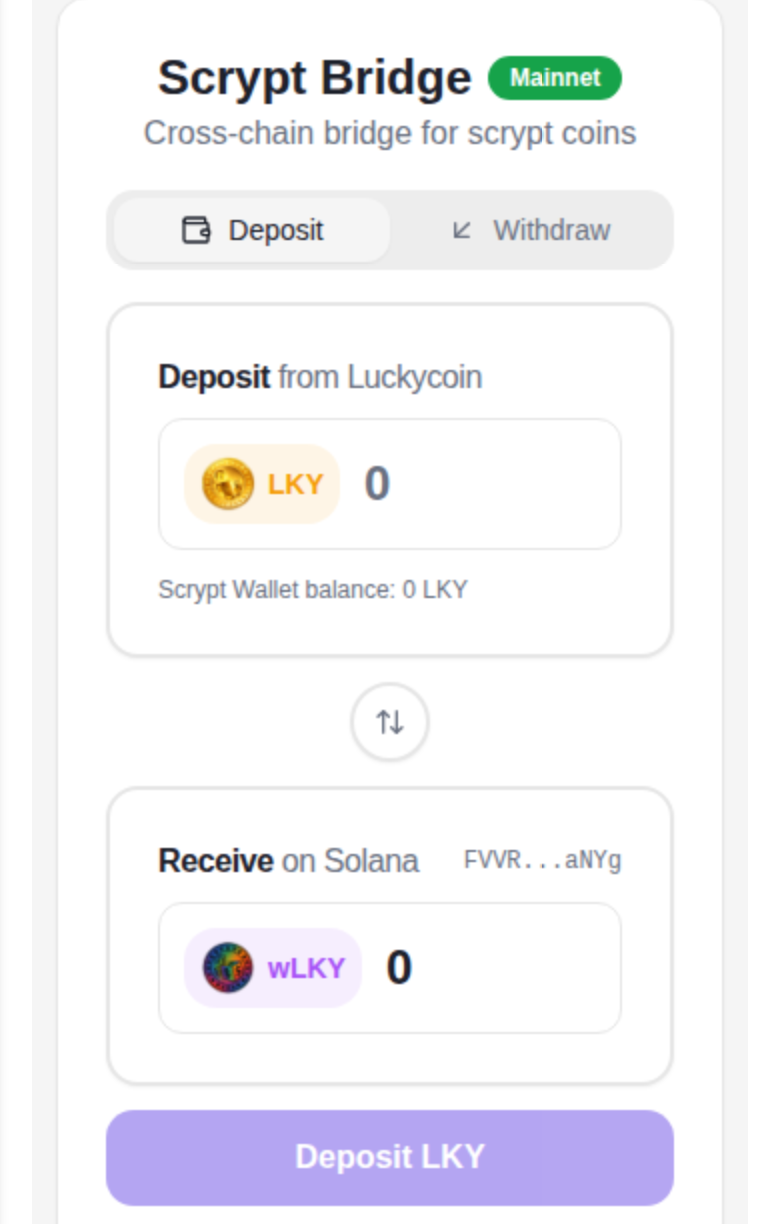
Short answer: Open Scrypt Bridge (at bridge.scryptwallet.io, or from the Dapp Store in Scrypt Wallet). To go to Solana, choose Deposit, send LKY to the deposit address the bridge shows, wait for it to confirm and receive wLKY. To go back, choose Withdraw, enter your Luckycoin address and burn wLKY. Send a small test first.
Questions this guide answers
- What is wLKY
- How do I wrap Luckycoin
- How do I unwrap wLKY back to LKY
- Is Scrypt Bridge mainnet
- Why can't I withdraw LKY from the bridge
What the bridge does
Scrypt Bridge converts Luckycoin (LKY) on its own chain into wLKY, a wrapped token on Solana, and back. They are different assets on different networks: LKY lives on Luckycoin, wLKY lives on Solana.
Open it at bridge.scryptwallet.io, or from the Dapp Store inside Scrypt Wallet.
Before you start: three checks
- Send a small test amount first.
- Match the network. LKY goes to a Luckycoin address. wLKY goes to a Solana address.
- Check the bridge status on the bridge page before a large withdrawal.
Deposit: LKY to wLKY
- Choose Deposit (from Luckycoin).
- Send LKY to the deposit address the bridge shows. Inside Scrypt Wallet, the wallet shows the exact payment for your approval, then signs and sends it.
- Wait for the deposit to confirm.
- You receive wLKY on Solana.
Withdraw: wLKY to LKY
- Choose Withdraw.
- Enter the Luckycoin address that should receive LKY, and check it twice.
- Approve the burn of your wLKY.
- You receive native LKY.
About limits
Withdrawals are paid from the available LKY reserve, so a large withdrawal can be unavailable for a time. The bridge page shows current status. Problems can be reported from inside the wallet: Profile, then Report an issue, with the transaction details and no secrets.
Frequently asked questions
Is wLKY the same as LKY?
No. wLKY is a wrapped version on Solana, created through Scrypt Bridge. Native LKY stays on its own chain. The bridge converts between them.
Why would I wrap Luckycoin?
A wrapped token lets LKY work with Solana apps and pools. You can convert back whenever you like, subject to the withdrawal limits.
My withdrawal says funds are unavailable.
Bridge withdrawals depend on the available reserve for that coin. Check the bridge page for current status and try a smaller amount later, or send an issue report.
Which network do I send to?
LKY deposits go to the Luckycoin deposit address the bridge shows. wLKY lives on Solana. Match the network every time.