Help Center › Features
Dapp Store and WalletConnect in Scrypt Wallet: how to connect to apps safely
Short answer: Open the Dapp Store to launch listed apps from inside the wallet, or use the WalletConnect tab: paste the dapp's wc: link or scan its QR code and press Connect. Ethereum and Solana are available. Connecting an address, signing a message and sending funds are different actions, so read every prompt.
Questions this guide answers
- Does Scrypt Wallet support WalletConnect
- How do I connect my wallet to a website
- What is the Dapp Store
- Is it safe to connect my wallet to a dapp
Two ways to connect
Open Dapp Store from the menu. It has two tabs.
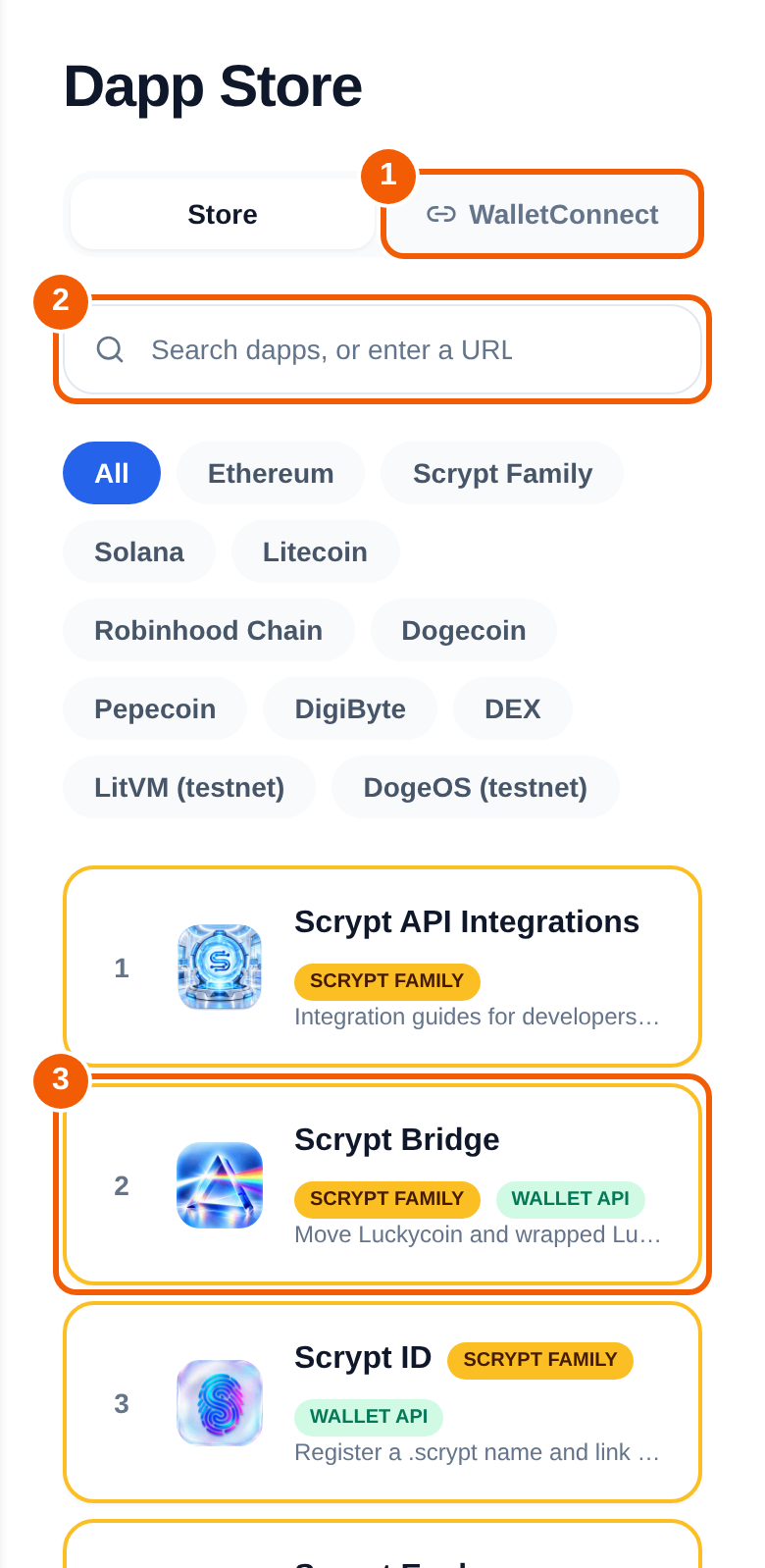
- Store lists apps you can open from inside the wallet. Filter by network, such as Ethereum, Solana or Litecoin, or by Scrypt Family. Search for an app or enter a URL ②. The Scrypt family includes apps such as Scrypt API Integrations, Scrypt Bridge and Scrypt ID ③.
- WalletConnect ① connects the wallet to any external dapp.
Connect with WalletConnect
On the dapp's website, choose WalletConnect as the way to connect. It shows a link beginning with wc: or a QR code.
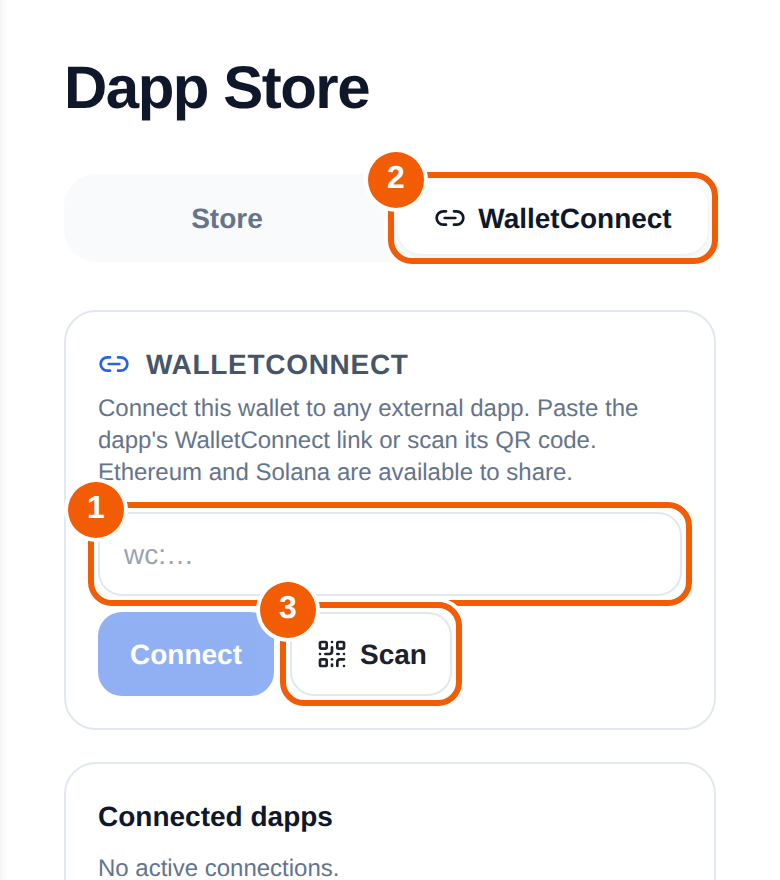
- In Scrypt Wallet, open Dapp Store, then the WalletConnect tab.
- Paste the dapp's link into the box ①, then press Connect ②. Or press Scan ③ and scan the dapp's QR code.
- Read the approval prompt. Check which app is asking and what it asks for.
- Approve only if it matches what you intended. Ethereum and Solana are available to share.
Your active connections are listed under Connected dapps.
Read every prompt: three different actions
- Connecting an address: the app sees your public address.
- Signing a message: proves you control an address. Some signatures can authorize things, so read them.
- Sending funds or approving a spend: moves value. Check the amount, the asset and the recipient or spender.
Red flags
- A site you reached from a message, a surprise airdrop or an NFT you did not ask for.
- A prompt asking you to approve spending of everything you own.
- Anything asking for your recovery phrase or keys. No real dapp needs them.
Never connect a wallet that holds more than you can afford to lose to an app you do not trust.
Frequently asked questions
Does Scrypt Wallet support WalletConnect?
Yes. It is the second tab in the Dapp Store, and it supports Ethereum and Solana.
How do I disconnect an app?
Open the WalletConnect tab and look under Connected dapps for the app. If you are unsure about an app, stop using it and move your funds to a fresh wallet.
What is the difference between the Store and WalletConnect?
The Store opens listed apps inside the wallet. WalletConnect links the wallet to apps on other websites.
Is it safe to connect to a dapp?
It depends on the dapp. Connecting only shares your address, but later prompts can move funds. Read each prompt and check the app and the method every time.